
Website feedback and bug reporting
Turn website feedback into fixes, faster
Feedora adds a feedback button to your website. Visitors report bugs and ideas with screenshots, and your team triages, assigns and resolves every one from a single dashboard.
- One line of code, on any website
- Screenshots, page, browser and device on every report
- Assignments, notifications and Excel reports for your team
Talk to us
Tell us about your website and we'll show you how Feedora fits in.
Product tour
Everything your team needs to act on feedback
From the widget on your website to the reports your managers read – one place for every bug and idea.
-
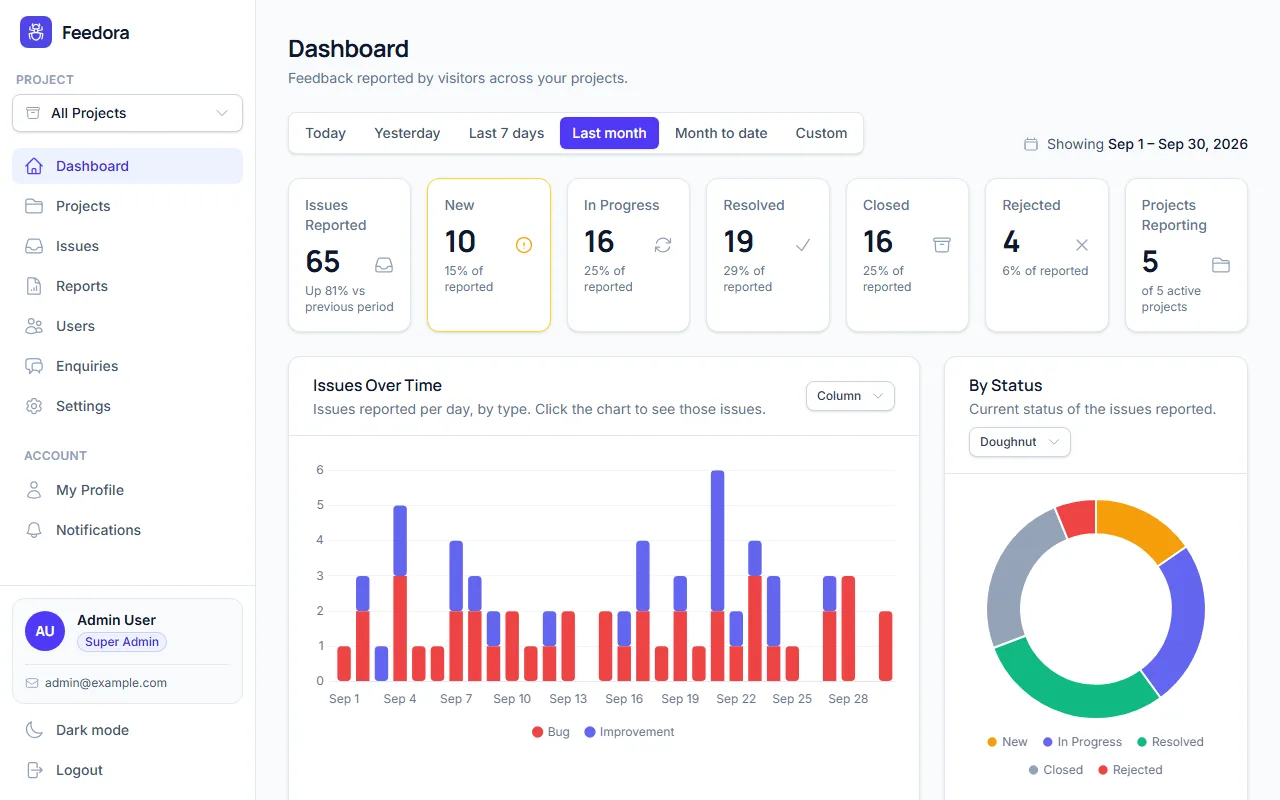
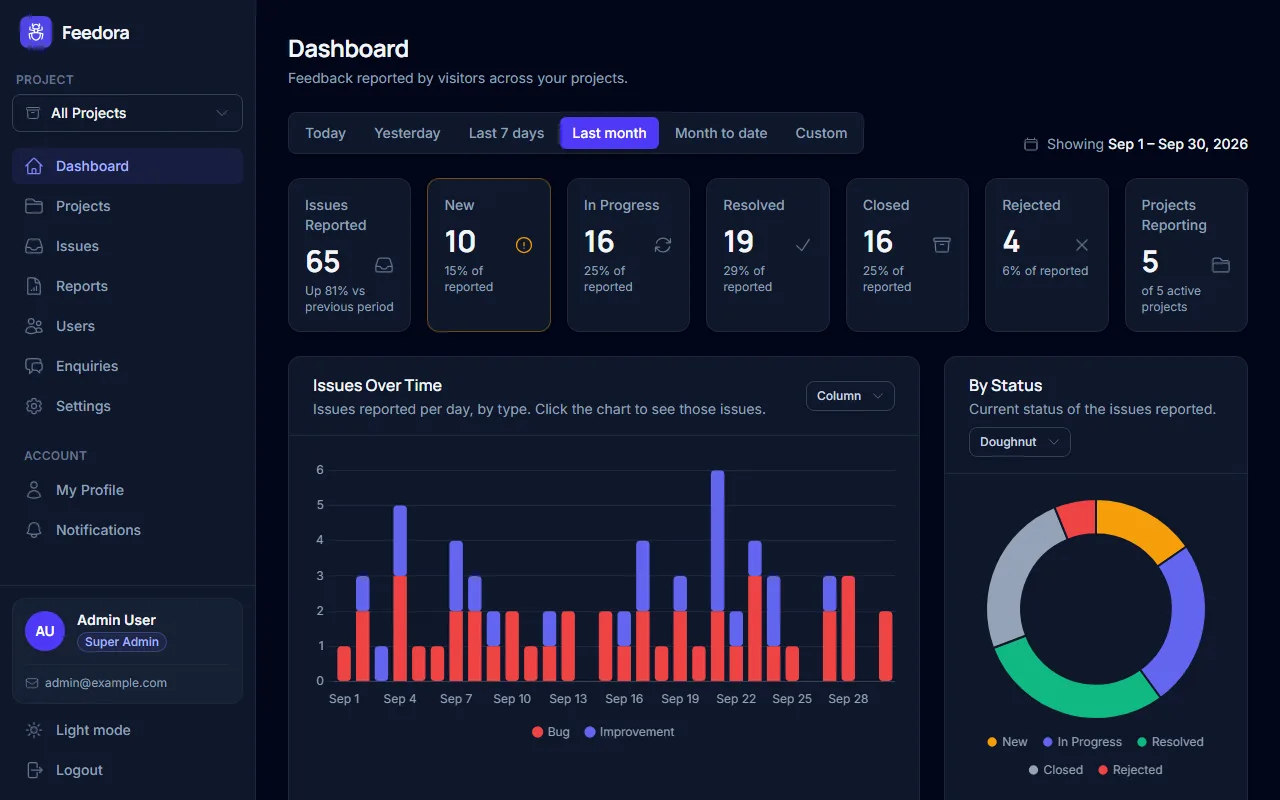
Dashboard
New, open and resolved issues at a glance, with trends over any date range.
-
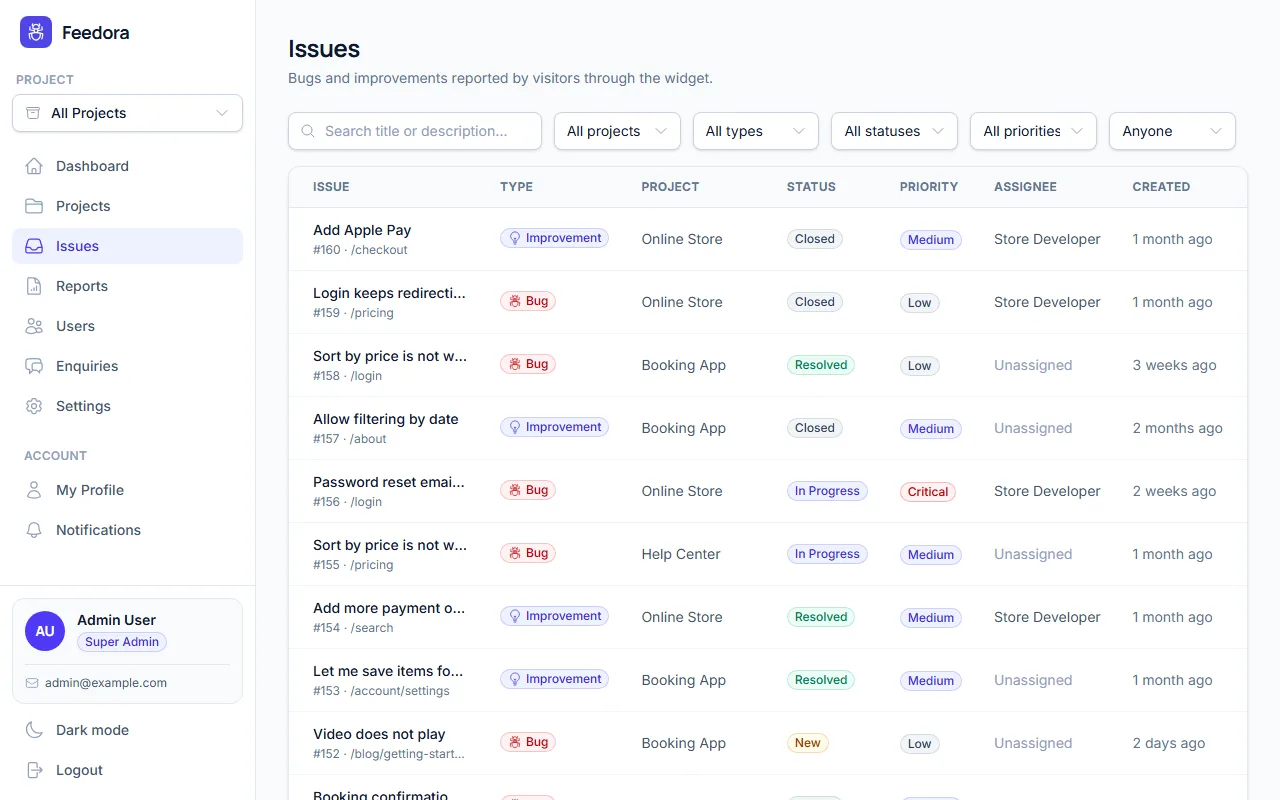
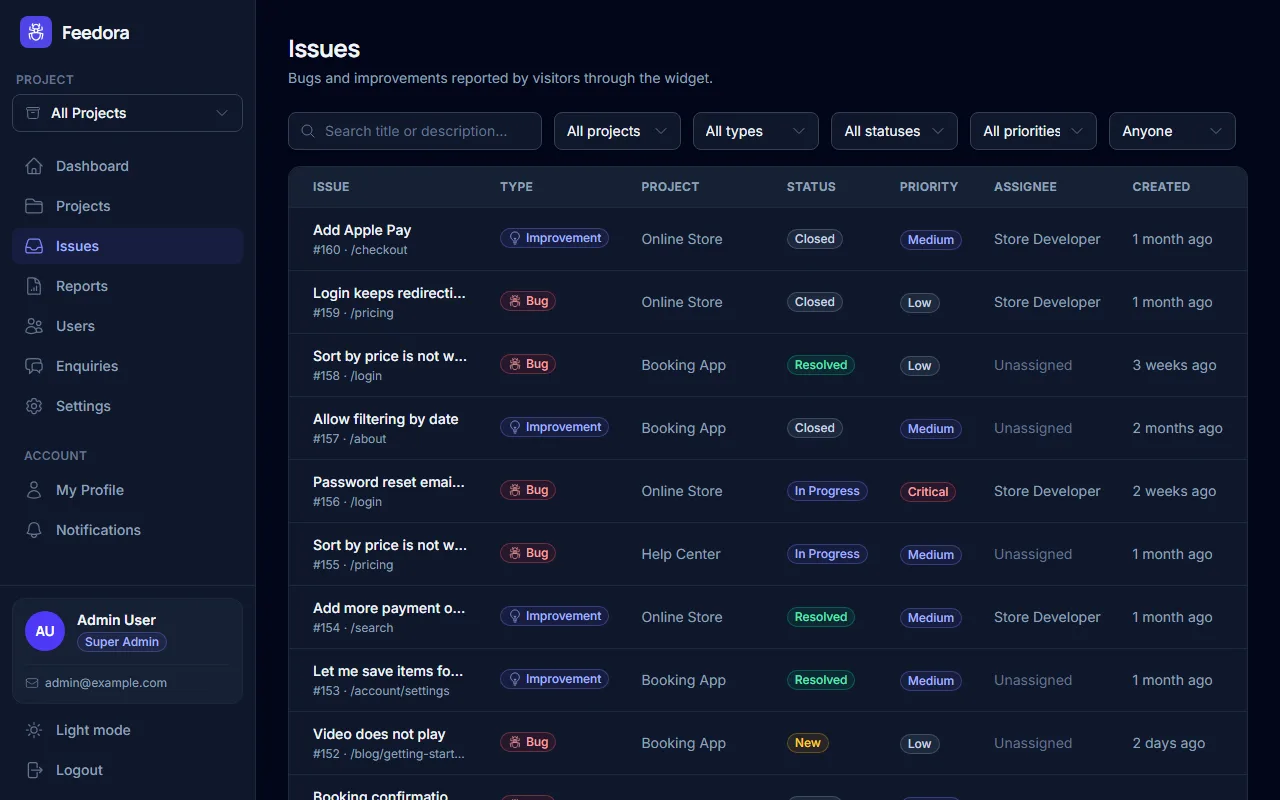
Issue inbox
Search and filter every report by project, type, status, priority and assignee.
-
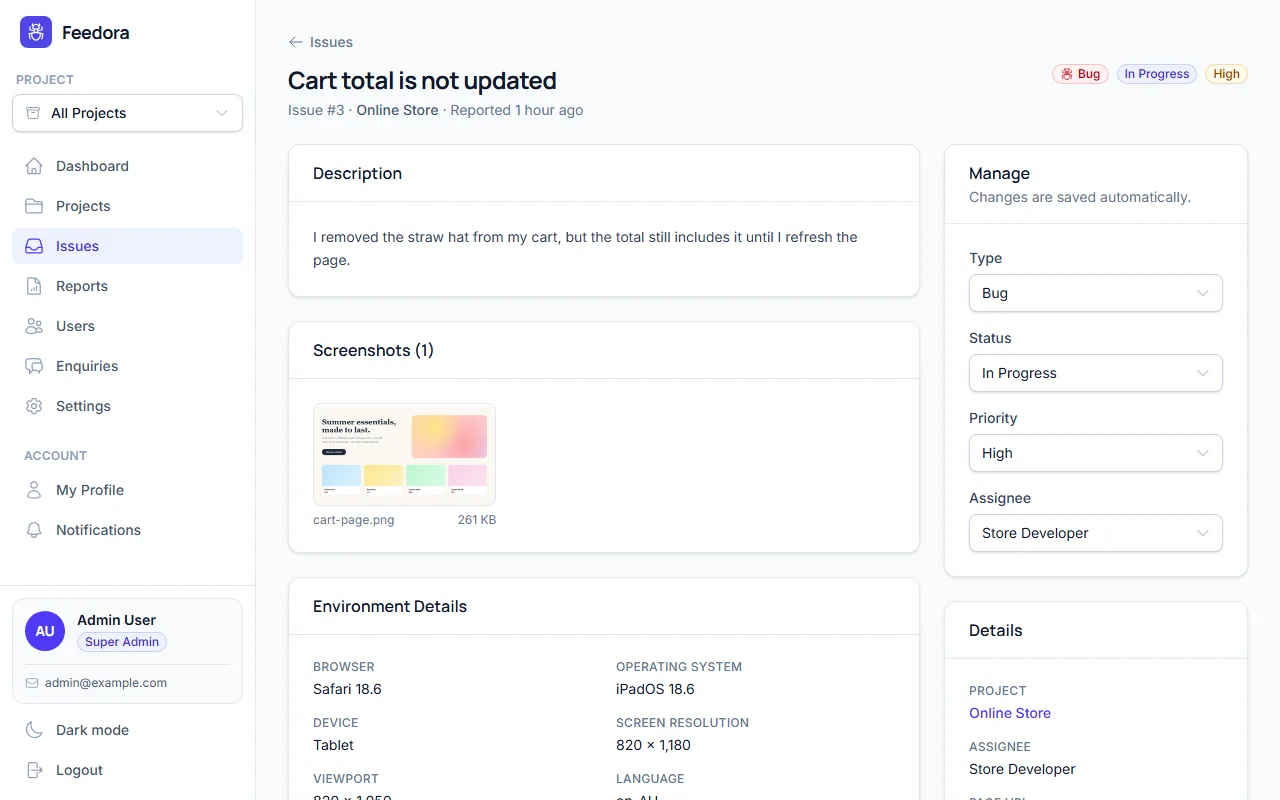
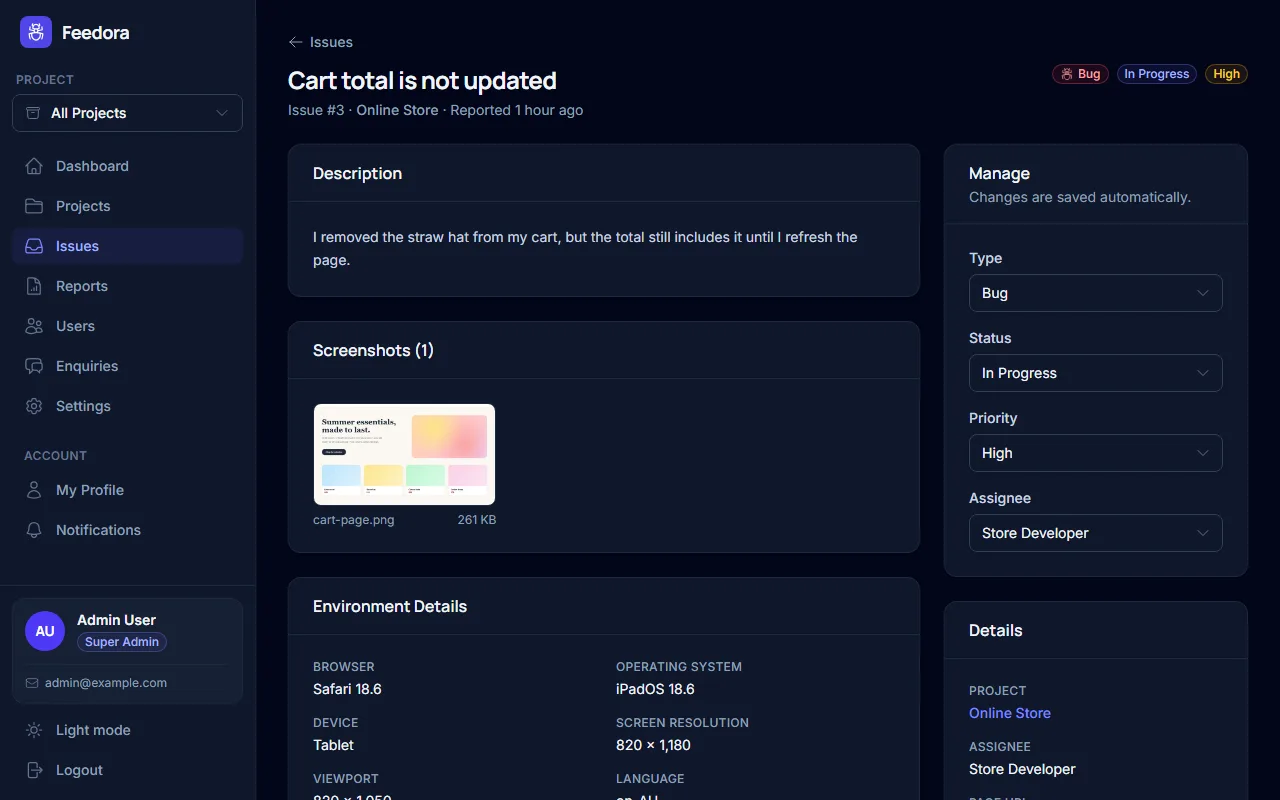
Issue details
Screenshots, the page, browser and device, plus status, priority and assignee.
-
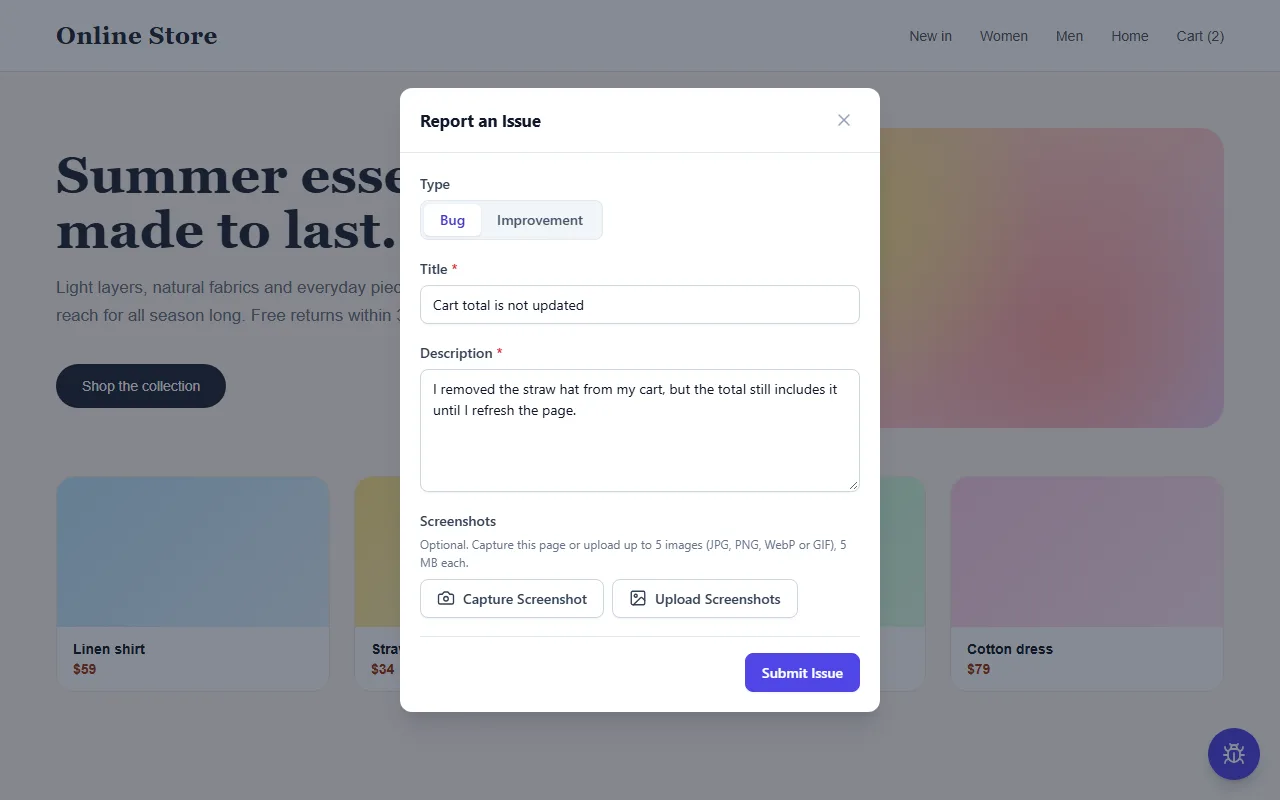
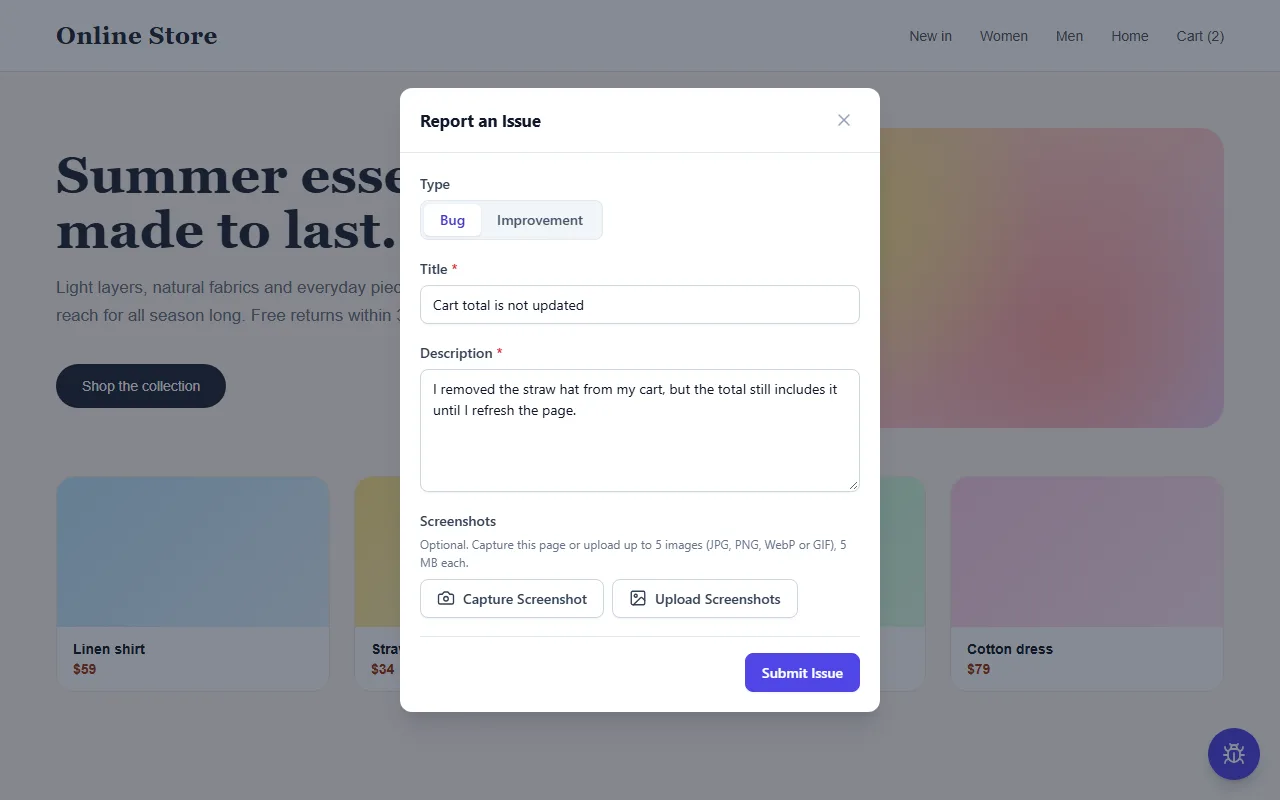
Feedback widget
Visitors report a bug or an idea in seconds, with a screenshot of the page.
-
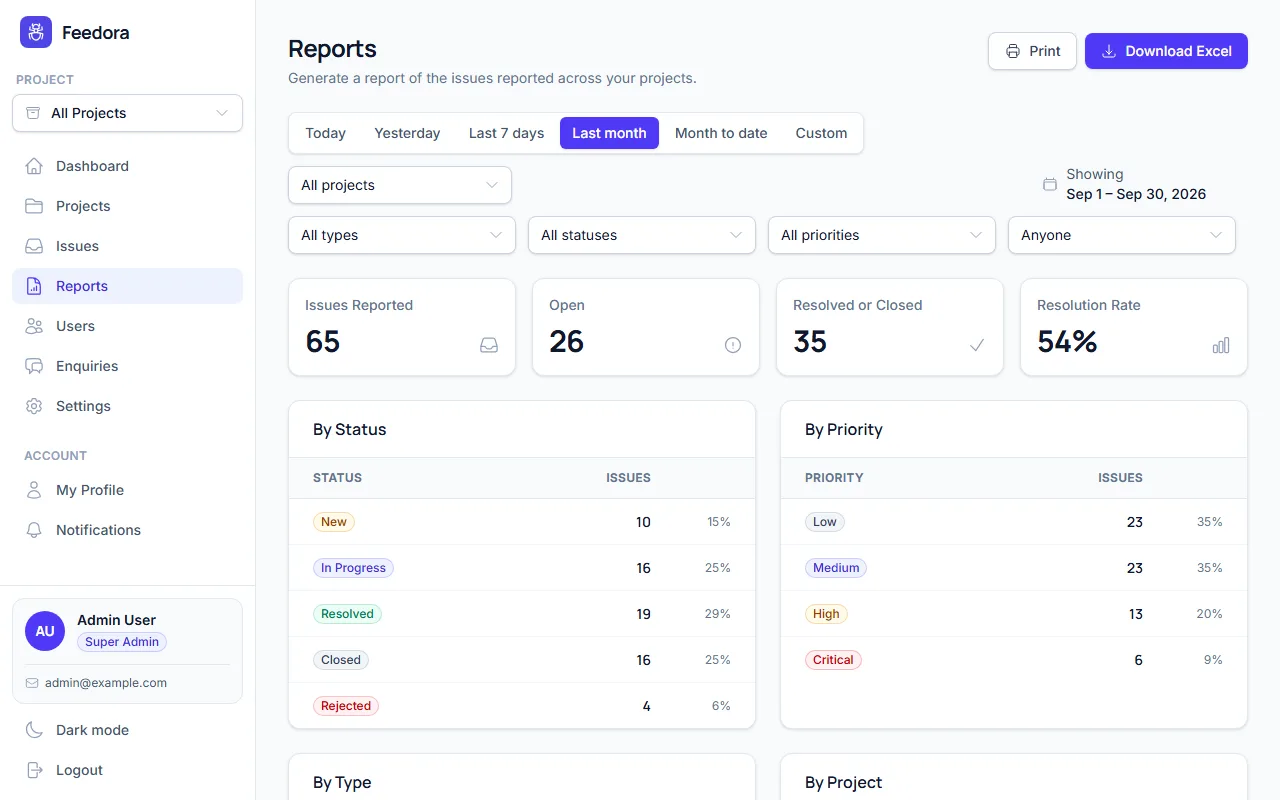
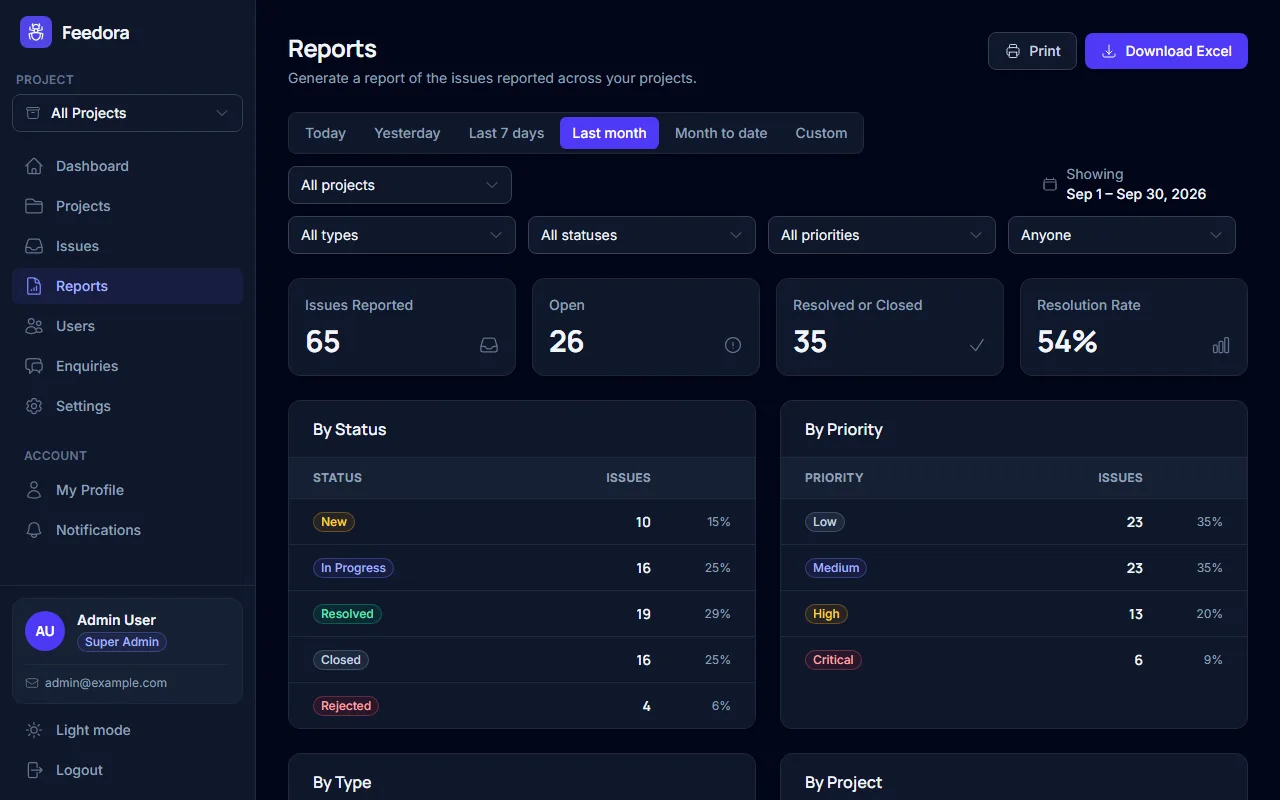
Reports
Summaries by status, priority and type, ready to print or download as Excel.
-
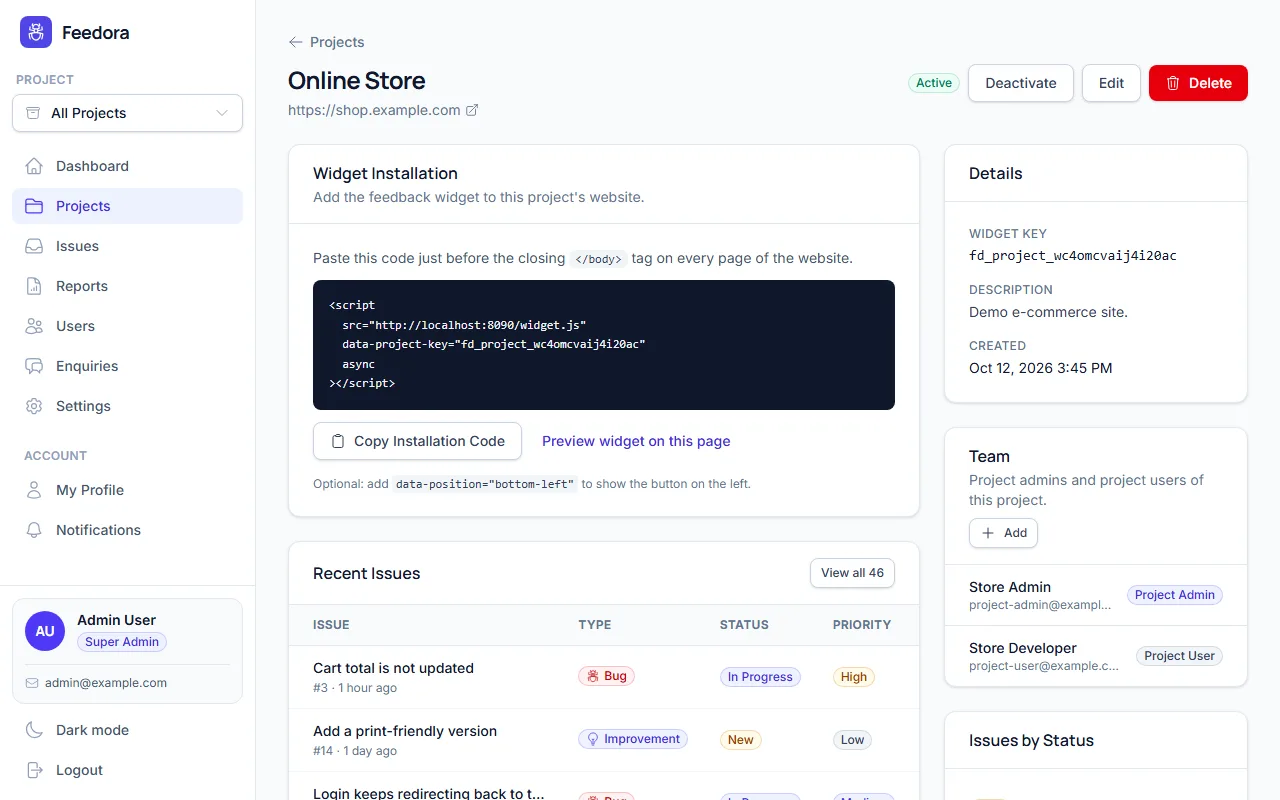
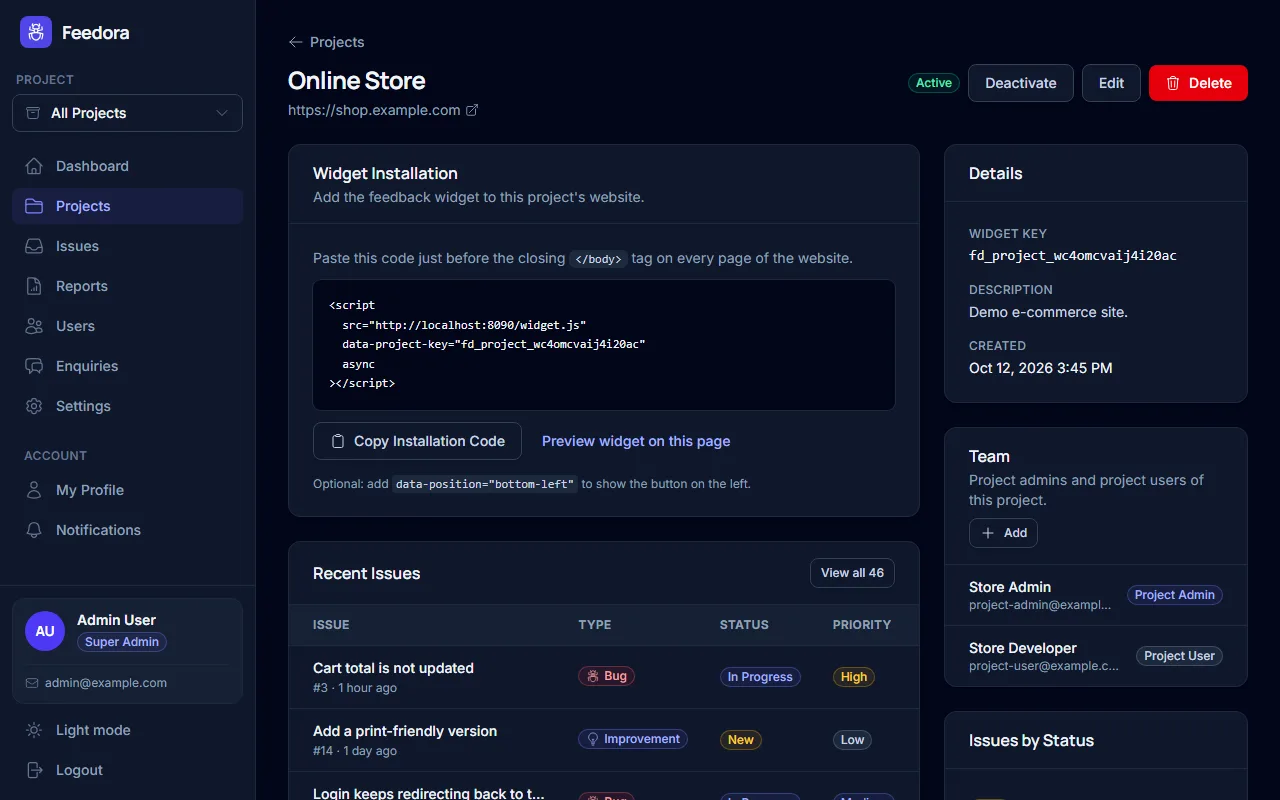
Projects
One project per website, each with its own one-line installation snippet.
How it works
From first report to fixed in four steps
No plugins, no SDKs and no training. If you can paste a line of code, you can start collecting feedback today.
-
1
Create a project
Add your website as a project. It gets its own widget key and installation snippet.
-
2
Add one line of code
Paste the script tag into your site. A feedback button appears – no build step, any platform.
-
3
Visitors report issues
They describe a bug or an idea and attach screenshots. Browser, device and page are captured for you.
-
4
Triage and resolve
Set the priority, assign it to a teammate and track it to resolved. Everyone gets notified.
<!-- just before </body> -->
<script src="http://13.60.22.159/widget.js"
        data-project-key="fd_project_…" async></script>
FAQs
Frequently asked questions
Everything you need to know about Feedora. Can't find your answer?
Ask us directly
What is Feedora?
Feedora is a website feedback and bug reporting tool: visitors click a small button on your site to report a bug or suggest an improvement, with screenshots and browser details attached, and your team triages, assigns and resolves every report in one admin panel.
How do I add the feedback widget to my website?
Create a project in Feedora and paste its one-line script tag into your website's HTML, just before the closing body tag. It works on any website – WordPress, Shopify, Webflow or a custom app – with no build step or plugin.
Will the widget slow down my website or clash with its design?
No. The script loads asynchronously, so it never blocks your page, and it is about 18 KB compressed. Its styles are isolated from your site, so your CSS cannot break the widget and the widget cannot change your pages.
Can visitors attach screenshots to a report?
Yes. Visitors can upload images or capture the part of the page they are looking at with one click. The capture runs in the browser, so there is no extension to install and it also works on phones.
What information comes with each report?
Every report includes the page address, browser and version, operating system, device type, screen and window size, language, time zone and referrer, so your team can reproduce the problem without asking follow-up questions.
Can I manage several websites and teams?
Yes. Each website is a separate project with its own widget. Super admins and admins see everything, while project admins and project users only see the projects they are assigned to – ideal for agencies and client work.
How does my team find out about new issues?
New and assigned issues appear in the notification bell, as desktop notifications while the dashboard is open, and by email for project admins and assignees.
Can I export reports?
Yes. The Reports page summarises issues by status, priority, type and assignee for any date range, and you can print it or download the issues as an Excel file.
Reviews
Teams fix more, faster
Product, support and engineering teams use Feedora to hear from their visitors.
“Bug reports used to arrive as vague emails. Now every one comes with a screenshot, the browser and the exact page, so we fix things the same day.”
“We run sites for a dozen clients. One project per site and project-only access for each client team keeps everything tidy.”
“Installing it took a minute. Our support team finally has one inbox for website issues instead of chasing screenshots in chat.”
“The dashboard and Excel reports make our weekly quality review easy. We can see what is open, what is urgent and who is on it.”
“Visitors actually use it – the capture button makes reporting effortless, even on mobile. Improvement ideas have become a real source of insight.”
“Desktop notifications and assignment emails mean nothing slips through. Our developers see new bugs while they are still fresh.”
Ready to hear what your visitors see?
Tell us about your website. We'll show you how to start collecting useful feedback in minutes.